Here is a collection of Frequently Asked Questions (FAQ's) that relate specifically to using the streaming Real Media sound files at Harmonica Lessons.com.
All audio sound files in the Members Area are standard .Mp3 files which will play directly in your web browser and can be downloaded to your computer.

Download a
RealPlayer
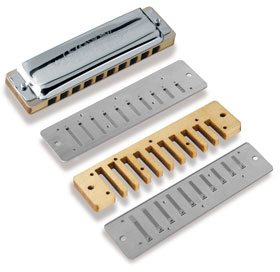
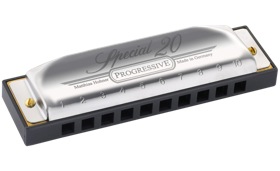
- Key of "C" diatonic harmonica- All sound files are recorded with a standard key of "C" diatonic harmonica unless noted otherwise.
- Which programs will play MP3s?- Clicking on a .Mp3 file will cause it to play in your web browser. Many audio programs on your computer have the ability to play MP3s also. The most common programs would include: Windows Media Player, Apple Quicktime, and iTunes. One or more of these programs comes installed on your computer.
- MIDI Files- MIDI is an acronym for Musical Instrument Digital Interface. A MIDI file is a computer document that contains the performance of a musical piece in terms of the notes played and the timing of the notes. The actual sounds to make the music will come from the user's computer operating system. Any MIDI files found here (or elsewhere for that matter) can be played by your computer and you will not need any additional equipment.
Once you click on a MIDI file it should download and begin to play. If it hasn't started playing automatically, you can double-click on this file and it should open your operating system's default MIDI player (Windows Media Player on a PC or QuickTime on a Mac). You do not need special software. Visit our MIDI files page to download files to jam to.
- If you are receiving this error message (from RealPlayer):
"Unable to locate server. This server does not have a DNS entry. Please check the server name in the URL and try again"
First, restart your computer and see if that fixes the problem. If it doesn't, you may need to reinstall/install the above mentioned sound file player. This error is typically a problem with the user's computers operating system, Internet browser, and sound file player communicating with each other.
- Sound File FAQs
What kind of sound (audio) files are being used?
What is meant by a "streaming" sound file?
Can I use the Windows Media Player to play these RealMedia sound files?
Where can I download the free RealPlayer?
Which versions of RealPlayer will work with these sound files?
Real Networks also offers a $29.99 RealPlayer with additional features. Is this any better?
Does it matter whether I have a PC or a Mac to play these sound files?
Is it possible that my computer or browser is to old to use the streaming sounds?
Does it matter whether I use Netscape Navigator (or Communicator) or Microsoft Internet Explorer to access these sound files?
Where can I get more information if I'm still having problems?
- What kind of sound (audio) files are being used?
The sound files found on this site are in the Real Media file format which is created by the folks at Real.com. With a version of RealPlayer 5.0 or above, they will "stream".
- What is meant by a "streaming" sound file?
"Streaming" allows you to listen to a file while it is downloading. Without "streaming", you would have to wait while you first download the sound file to your hard drive and then open the correct audio program to listen to it.
- Can I use the Windows Media Player to play these RealMedia sound files?
Yes and No. An older version of the Windows Media Player, 7.0, will work with Windows 98, Windows ME, and Windows 2000 operating systems and play the Real Media files. An even older version 6.4 will work with Windows 95 and Windows NT 4.0. The newer versions 8.0, 9.0, and beyond, no longer support the Real Media file format.
- Where can I download the free RealPlayer?
The free RealPlayer can be downloaded directly from the Real Network site. Click here to download the RealPlayer 8 Basic.
- Which versions of RealPlayer will work with these sound files?
Real Player 5.0, Real Player G2, Real Player 7.0, Real Player 8.0, and RealOne Player (for Mac OS X).
- Real Networks also offers a $29.99 RealPlayer Plus with additional features. Is this any better?
No, that is almost the price of becoming a Member. All sound files within the Members Area are .Mp3 and will play in your web browser.
- Does it matter whether I have a PC or a Mac to play these sound files?
No. As long as you have an up to date browser and a version of the Real Player 5.0 or up, there should be no difference at all.
- Is it possible that my computer or browser is to old to use the streaming sounds?
Yes. Unfortunately, if your computer will not support the Real Player or a fairly current browser, you may not be able to use the streaming sounds. Click here to view the system requirements for the Real Player 8.0 Basic.
- Does it matter whether I use Netscape Navigator (or Communicator) or Microsoft Internet Explorer to access these sound files?
No. Any browser version that is 4.0 or greater should be just fine. Some of the 3.0 browsers may also be ok.
- Where can I get more information if I'm still having problems?
You can visit the Real Player Support and FAQs page at the Real Network site.
|